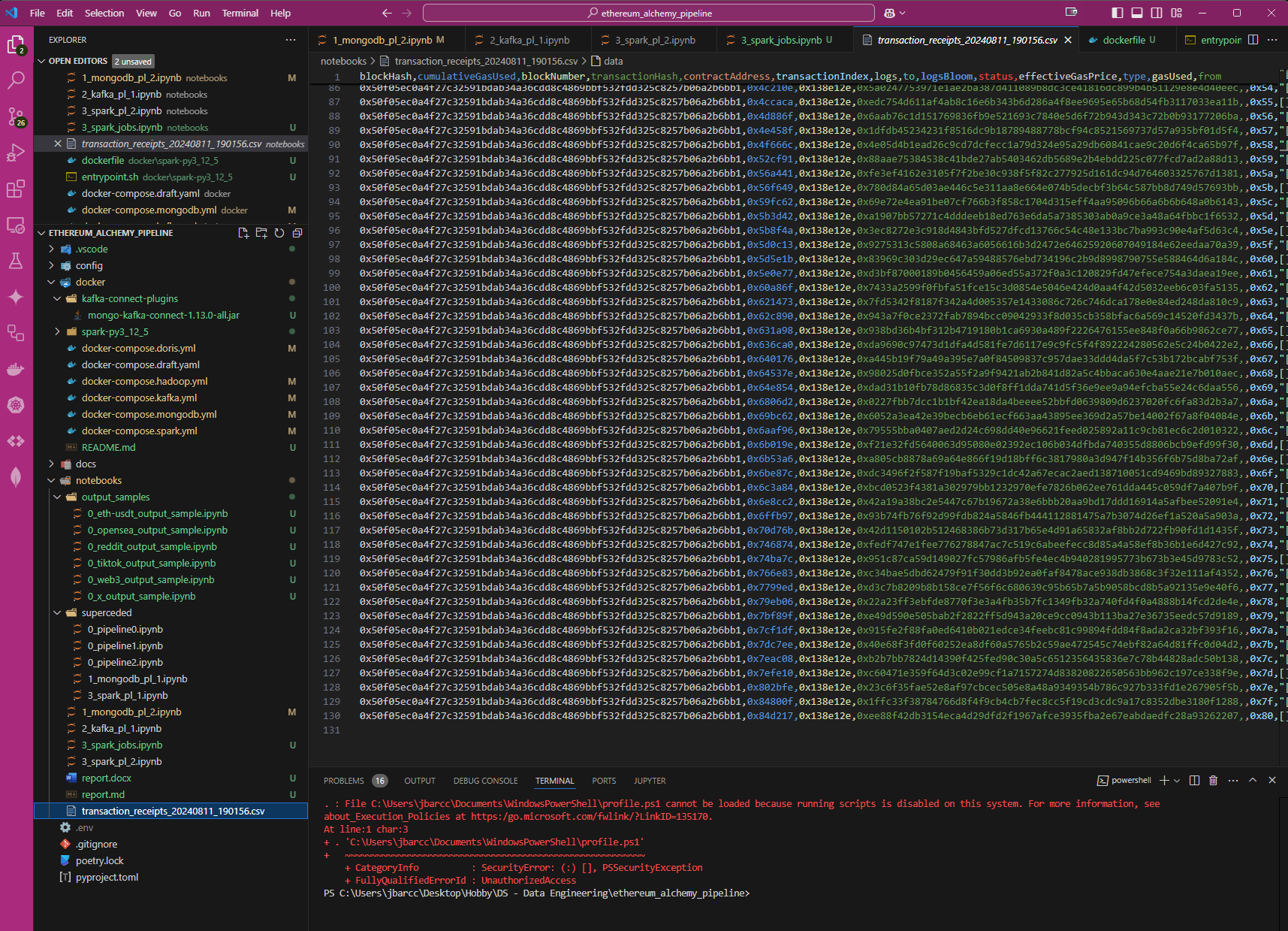
Let's start with the questions that I had:
What data do I feed through the pipeline and what would I want to do with it at the end?
I already have some ideas of what kind of data I'd choose as source. Starting with questions I already asked ChatGPT previously...
- "I am planning to write data science articles where I do ETL, exploratory data analysis, BI and machine learning. What good topics and available datasets are there?"
- "Give datasets/types or industries of datasets to comprehensively apply these [statistical] methods to. Do not give the code."
- "Give me a few business analyst problems and datasets to work on."
I chose blockchain data.
Of all the available ones, I chose the Ethereum Blockchain specifically so that I can relate the data to NFT marketplace data, which most are traded with Ethereum.
Blockchain data is transaction data. Each block can be interpreted as a large JSON file with the transaction value, sender and receiver information. I also dabbled with NFTs before and know that there's a treasure trove of data there as well.
The data products that I can produce with these data can range from 'simple' Exploratory Data Analysis to more complex predictions for prices or ideal themes for NFT products.
To proceed...
I have these steps in mind...
Step 1: The Alchemy API for the Ethereum blockchain
ChatGPT already provided me with an idea for a full pipeline in the previous post (such as "Ethereum Blockchain > The Graph > Apache Flink > Google BigQuery > Plotly Dash"). This is too complex for me at this point so I opted to just try connecting to the blockchain API and output a CSV file of a few blocks.
Managed to do it after some fiddling, research and prompt engineering.
The original notebook link was retired during the Arthur Blanc rebrand.
My measurable outcome: for this step is to get a csv file of the metadata. (Successful)
Step 2: The web3 API and MongoDB
The Alchemy API is generally not open-source. The Web3 API is and the web3.py library is more actively maintained than the alchemy.py library.
I wanted to enrich my learning, so I decided to include MongoDB in this prototype pipeline.
I downloaded Docker and followed some tutorials to get a MongoDB container running. And yes, that also means I also just learned how to use Docker with this step.
My measurable outcome: Send Ethereum Blockchain data to MongoDB. (Successful)
Step 3: Kafka
I now add Kafka to the pipeline. This was hard and deserves an entire post just for setting it up.
Gist of it:
- Kafka and Docker networking, setting up internal and external listener addresses.
- Setting up Kafka in 'Kraft' mode so it doesn't require another software called 'Zookeeper'.
- Interfacing with MongoDB requires a plugin for Kafka
- Resolving version conflicts between the plugin, kafka, and java installation (when building the docker image)
- and probably more that I can't remember...
In the end I got it running.
Step 4: The OpenSEA API
After step 3 I realized that it's not really the blockchain metadata that I want. What I want is the NFT metadata.
It wasn't all a waste though as it meant that I already had the infrastructure setup for MongoDB and Kafka, and it works. So I went to OpenSEA to see what API they have for me to tap on.
I needed streaming data and found that I had to use the websocket API instead of the RESTful API. This means that I have to use javascript, and so I did.
Setting up the node.js project and this is what I finished with.
My measurable outcome: Send OpenSEA NFT transaction data to Kafka. (Successful)
Step 5: Spark
"Spark is like killing a fly with a bazooka" - Reddit User
This is even harder than Kafka to setup for a newbie. But yes, after hours of troubleshooting, prompt engineering, reddit/stackoverflow research, blog posts, hours of youtube tutorials... I got it working.
Gist of it:
- Fixing version conflicts between the different distributions, licensing and plugins for Java, Scala and Spark.
- Building the three different docker images (Jupyter, Spark Master and Spark Worker).
- Setting up docker networking for the Spark Master and Workers.
- Getting the write config for the spark session.
- Handling json data and transforming the data types.
My measurable outcome: Extract streaming data from a Kafka topic, do minor transformation on the data, and publish to a different Kafka topic. (Successful)
Step 6: Understanding the state of Hadoop
It is while researching on Hadoop that I encountered the concept of a Data 'Lakehouse'.
Long story short, we only try to use Hadoop if we have our own servers AND are managing petabytes of data. There is also the open-source alternative which is MinIO.
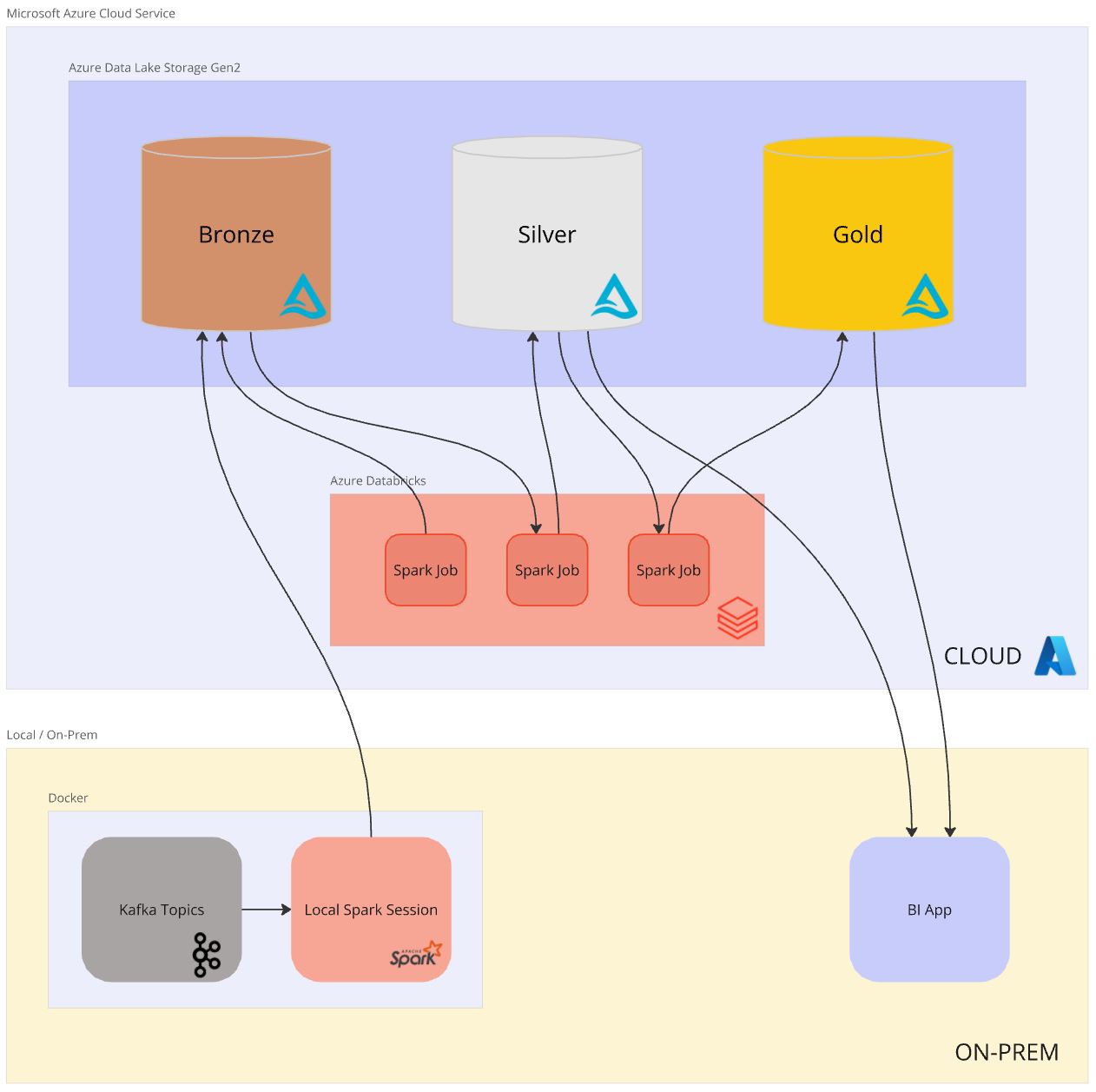
So instead of simulating a Hadoop cluster locally, I opted to use Azure Storage and Databricks. I will dive into this in a separate post.
Gist of it:
Post Conclusion
Rather than steps, the above were really leaps and each step easily deserves its own post. I am actually farther ahead than all these already so I'm speeding the writing a bit.
We continue our dive into the data engineering abyss in the next post.